Modules
Click the menu icon buttons below to get info on the modules, required API permissions, and screenshots for the Tyrian Lens dashboard.
 Tyria Map
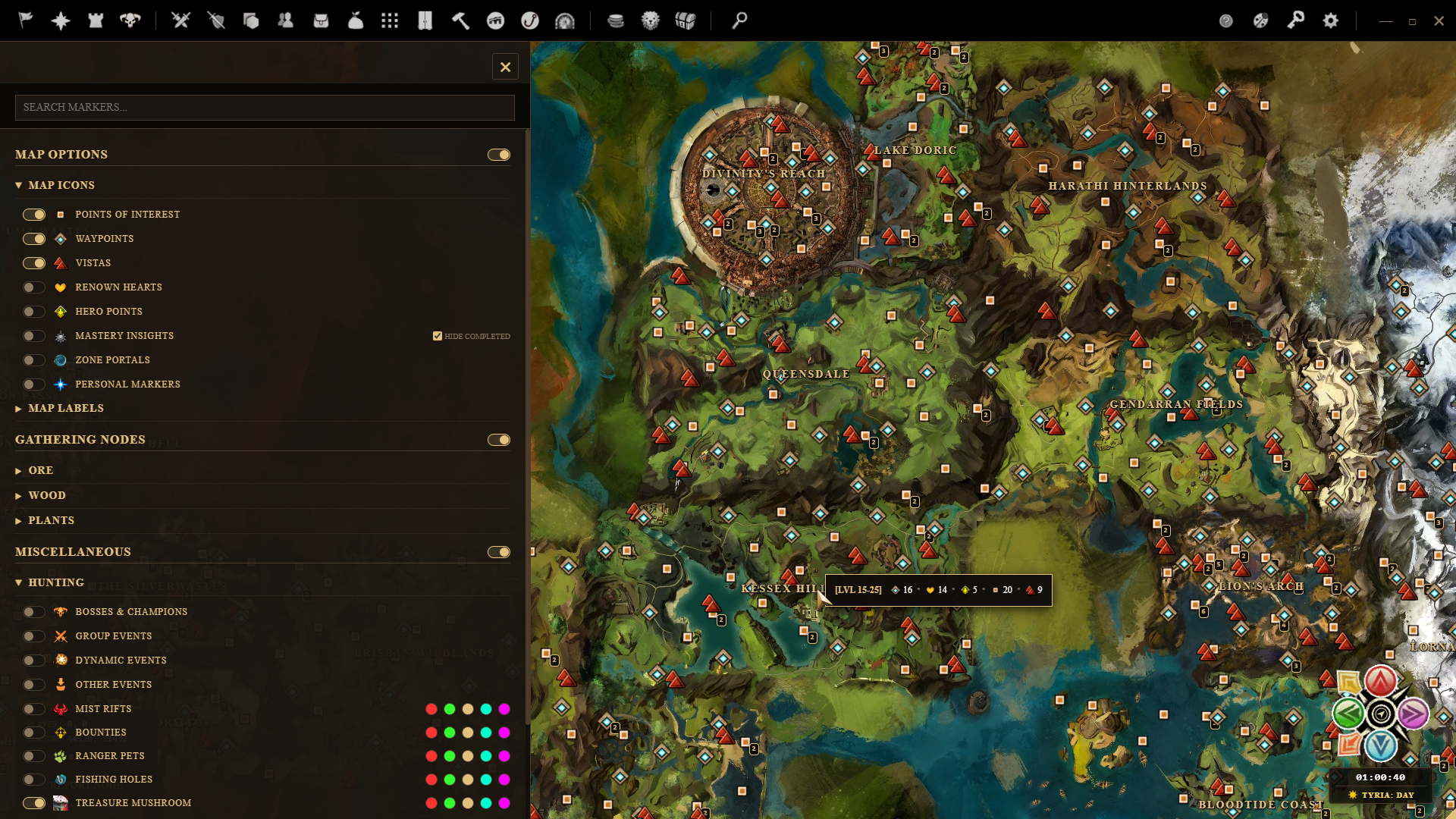
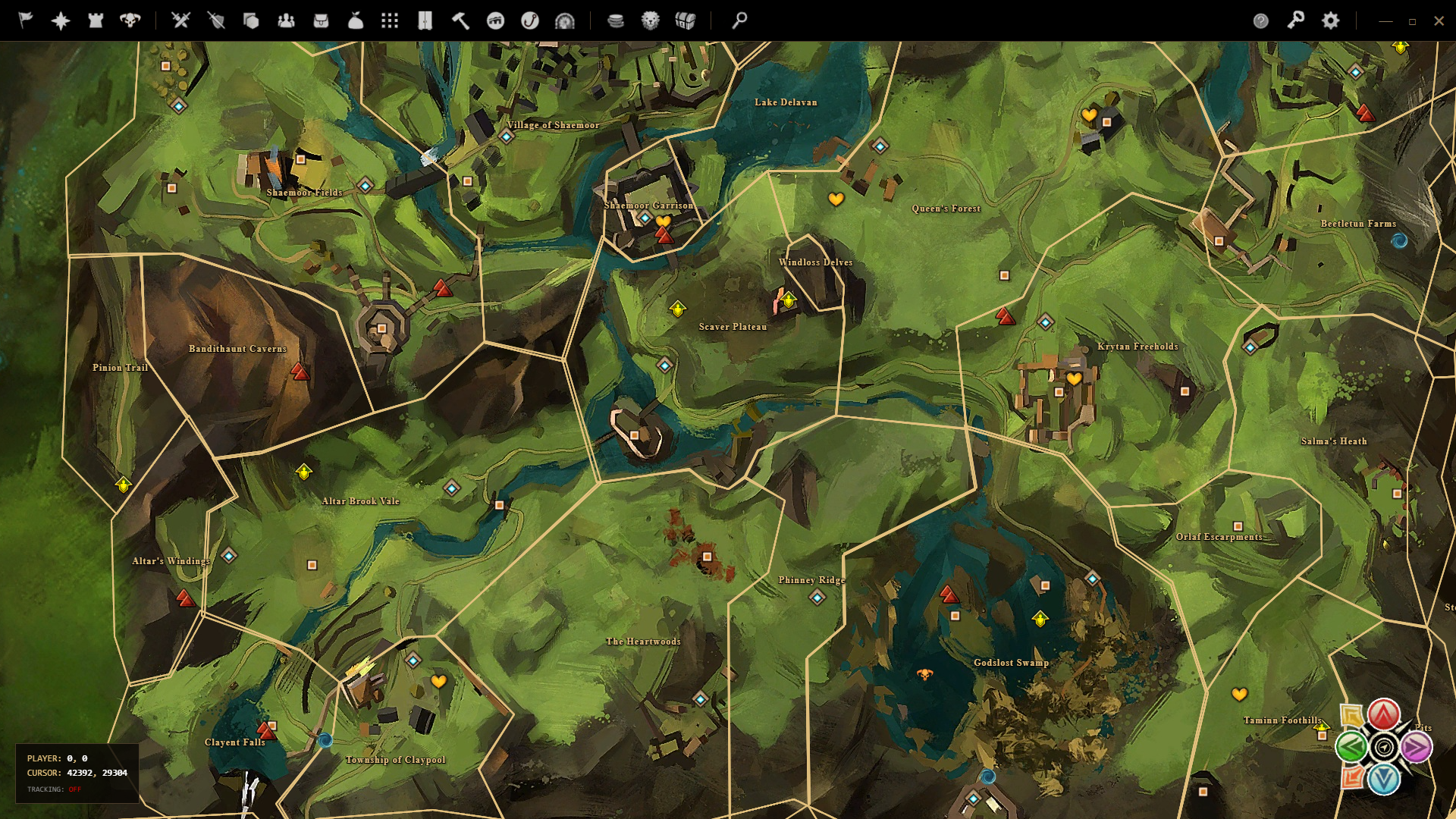
Uses the Mumble Link API to project your character's exact positions live onto an interactive Leaflet mapping overlay.
Required API Scopes:
Key Features:
- Real-time tracking of character location.
- 1000's of selectable markers to show on the map.
- Use [ALT+LMB] to place a custom marker on the map and give it a custom name.
 WvW Map
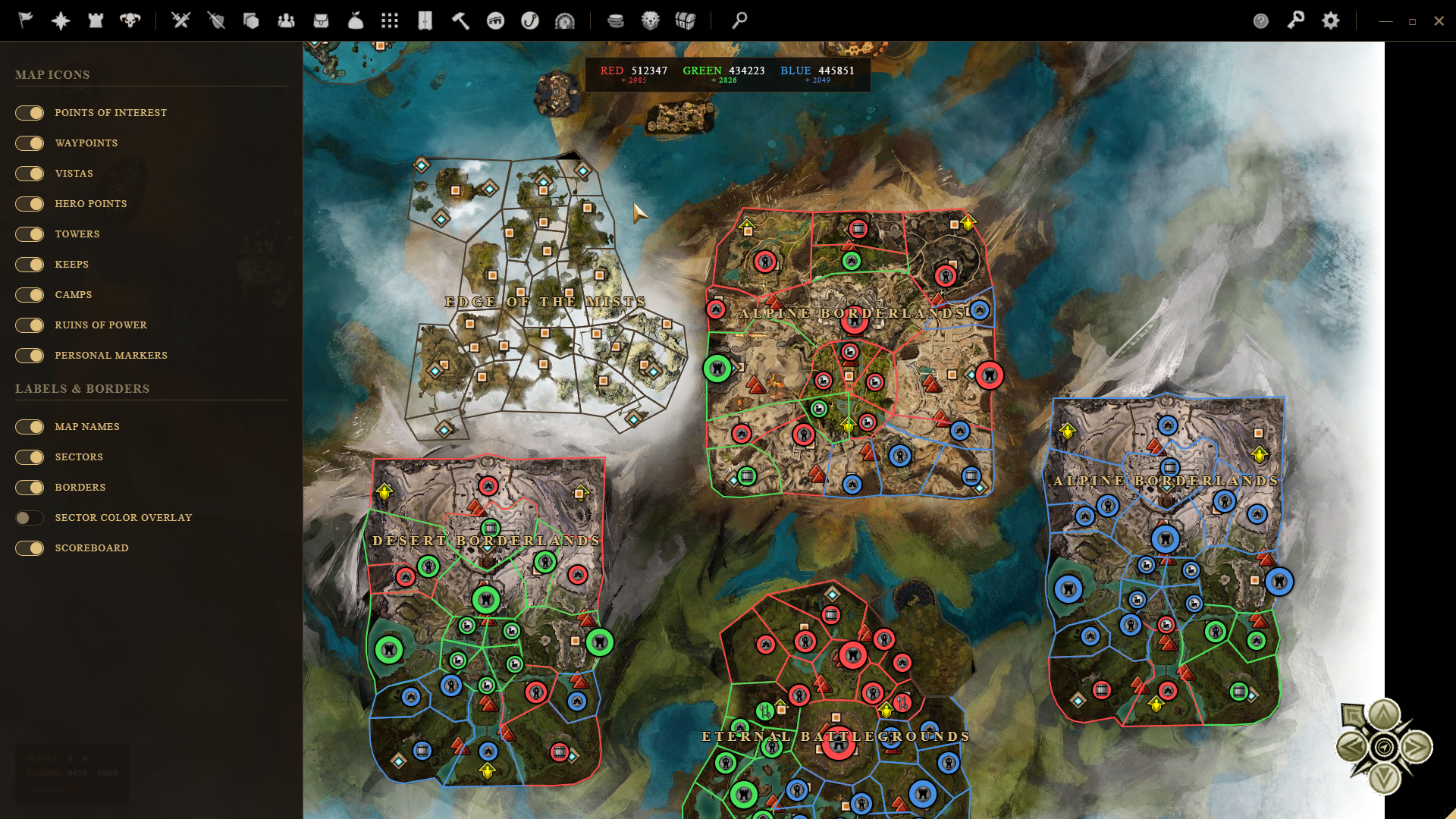
Automatically switches map mode to the WvW Map whenever you teleport to World vs World territory.
Required API Scopes:
Key Features:
- Smart mapping switching between Surface Tyria and the WvW sectors.
- Keep track of tower, camp, and castle captures.
- Mumble Link coordinate alignment.
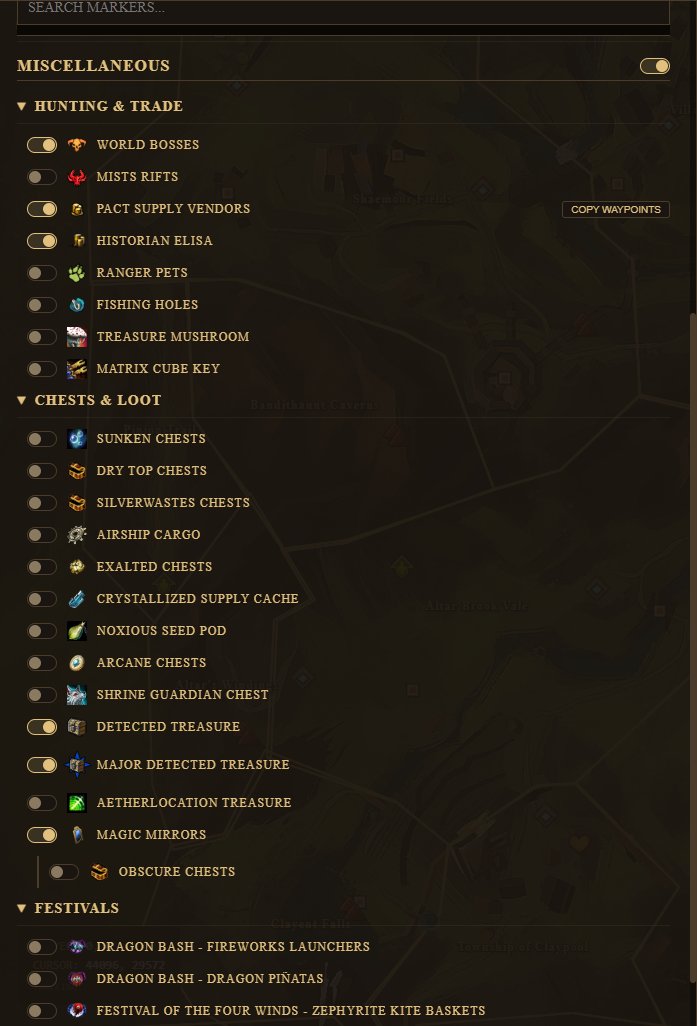
 Map Options
Choose from 1000's of markers to be shown on the map.
Required API Scopes:
Key Features:
- Toggle 1000's of markers on the map.
- Add custom markers with [ALT+LMB].
- Pick a highlight color to easily find your selected markers.
 Event & Meta Timers
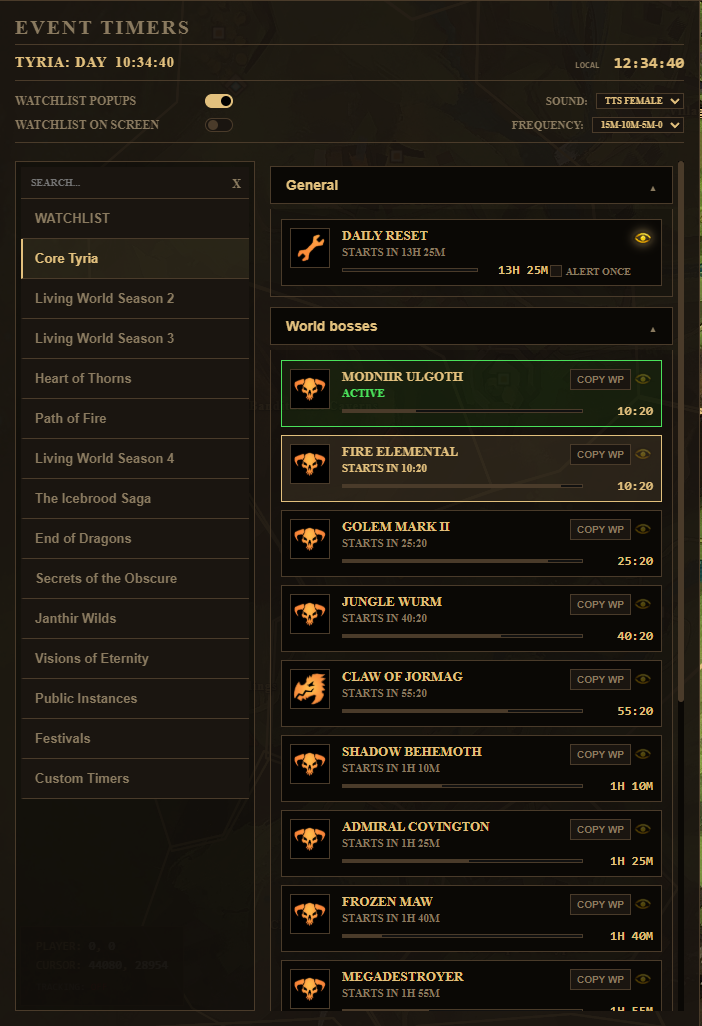
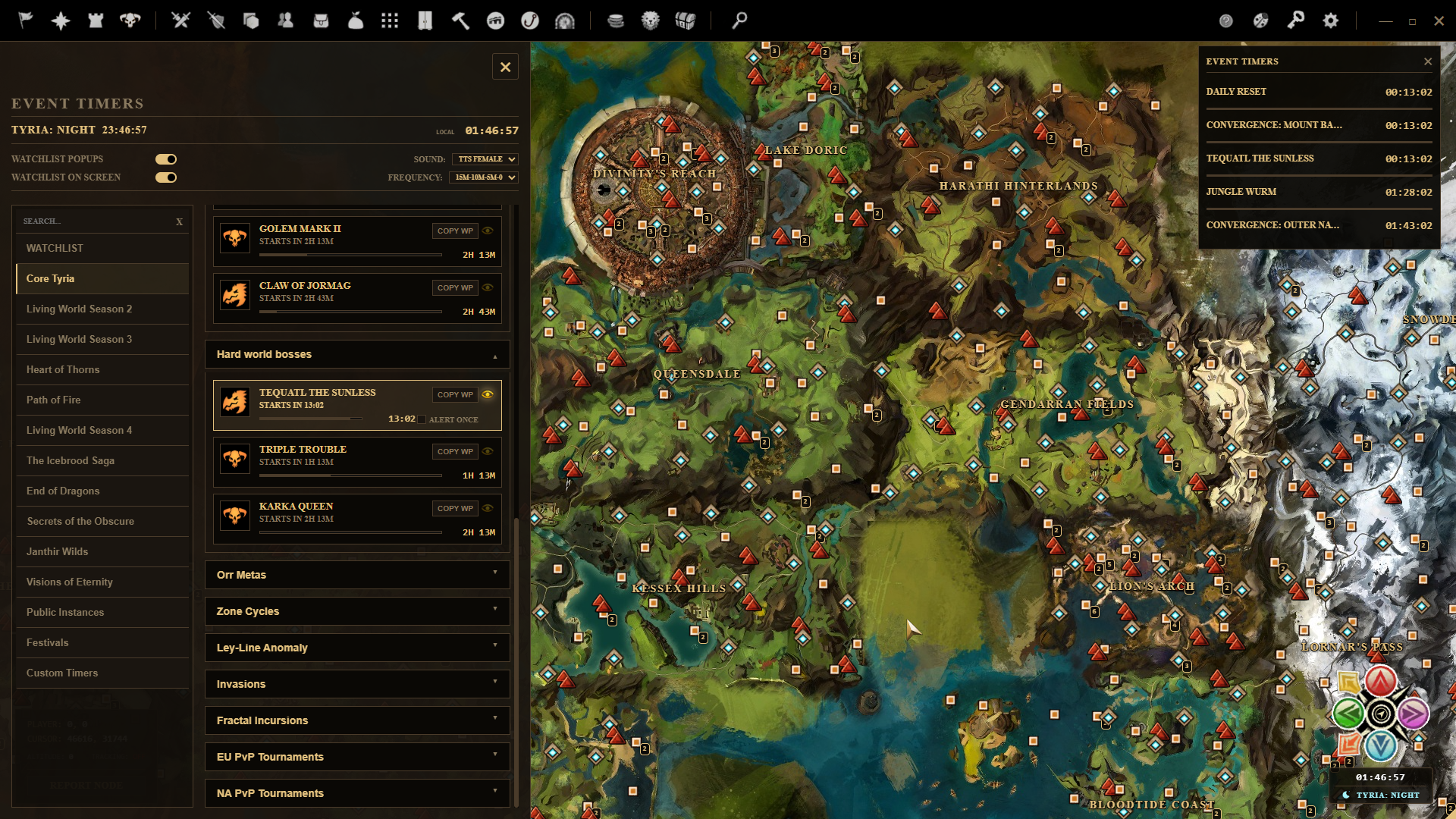
Never miss a World Boss or meta-event again. Displays timer countdowns and triggers custom audio notifications or a windows notification pop-up.
Required API Scopes:
Key Features:
- Real-time countdowns for World Bosses and meta timers.
- Custom audio reminders and screen notifications before they start.
- Custom intervals for notifications (15m, 10m, 5m, at start).
- Show your watchlisted timers in an overlay on your map.
 PvP Stats
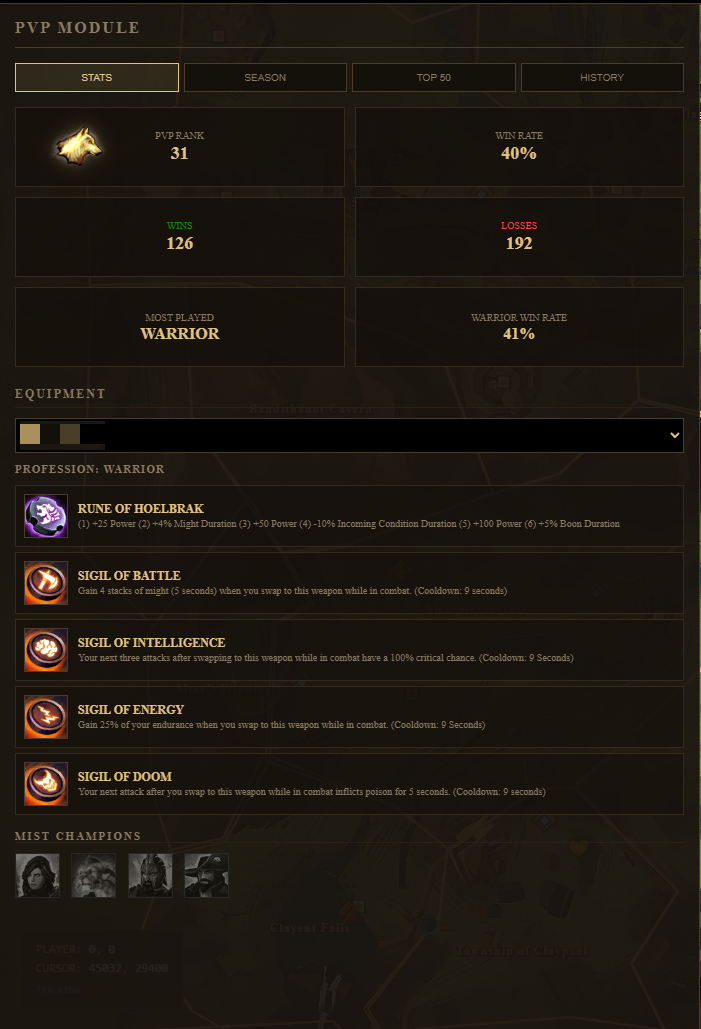
Track your PvP league rank, seasonal win/loss statistics, and performance.
Required API Scopes:
Key Features:
- Shows rank, win/loss rate, most played class, build equipment and unlocked hero's.
- Active season stats.
- Top 50 PvP Players.
- History of last 10 played matches.
 Hero Panel
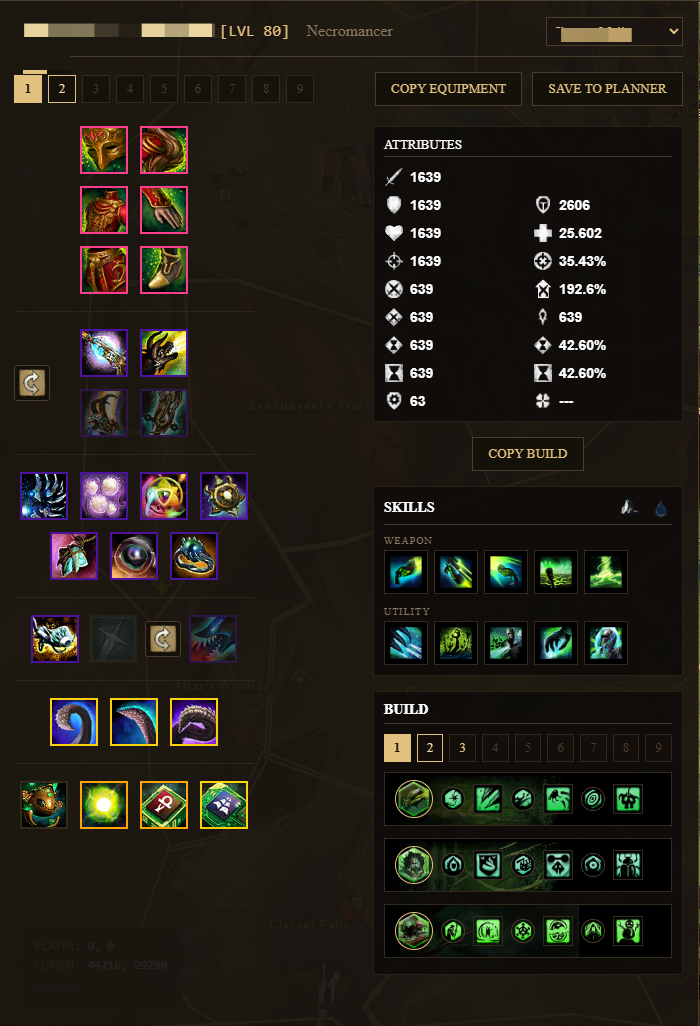
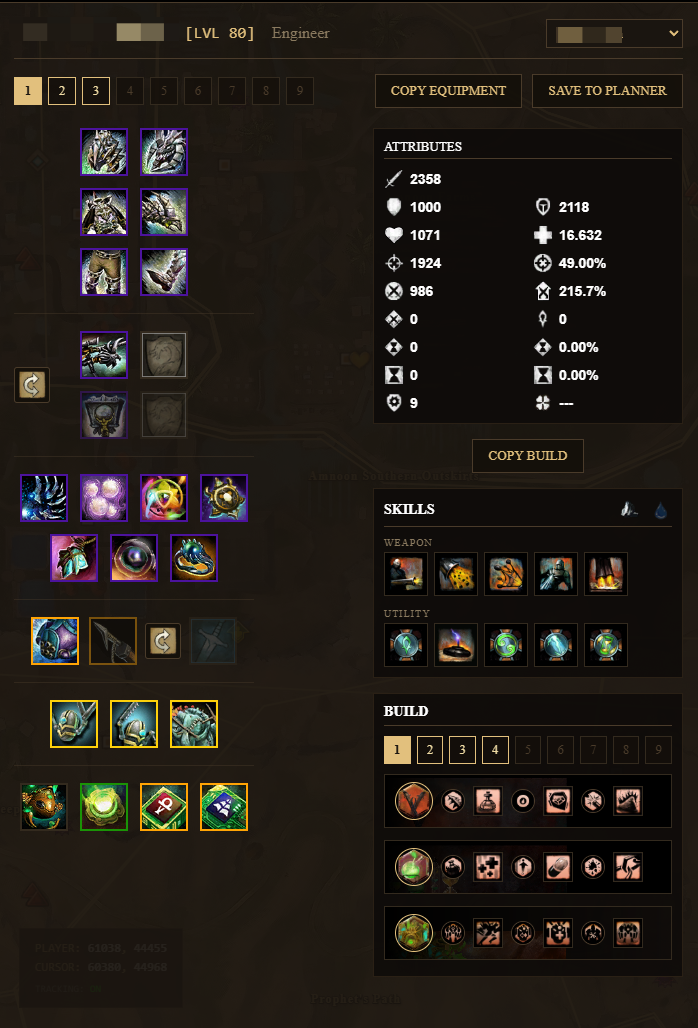
Inspect your characters stats, and complete gear configurations.
Required API Scopes:
Key Features:
- Select your character to check the equipment.
- Detailed stats overview based on equiped gear.
- Equiped gear per Equipment Tab.
- Switch between your different builds with Build Tabs.
- Swap equiped weapon sets and watch the stats update.
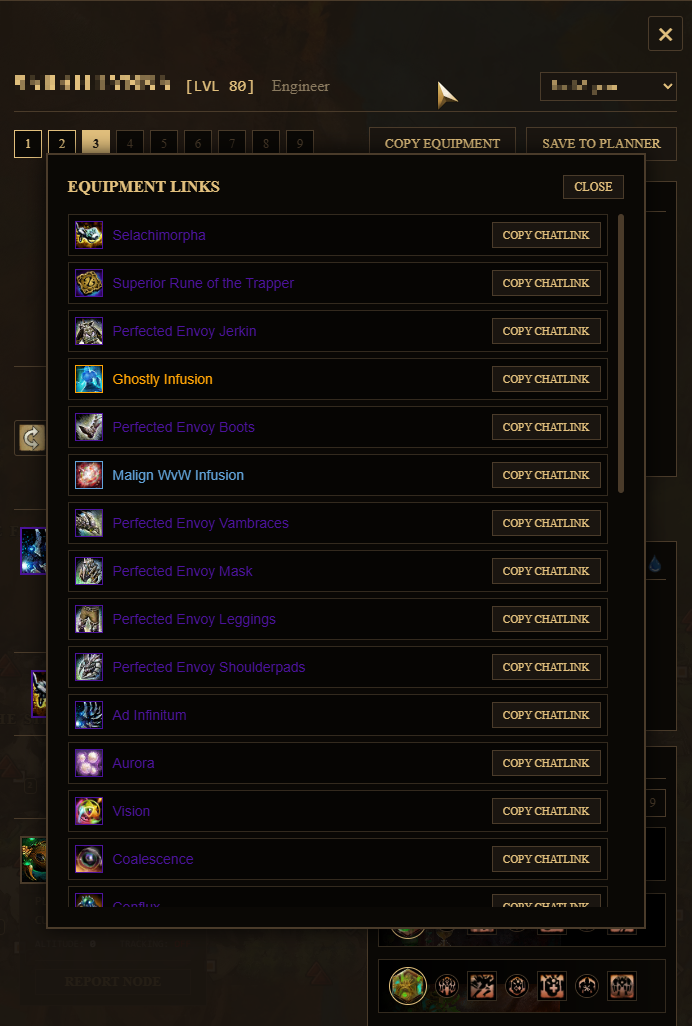
- Click 'Copy Equipment' for a full list of equiped gear with chat links for easy sharing in game.
- Click 'Copy Build' to share your build in game. Sadly this doesn't work for equipment.
- Save your current build directly to the 'Build Planner' to play with different loadouts.
 Build Planner
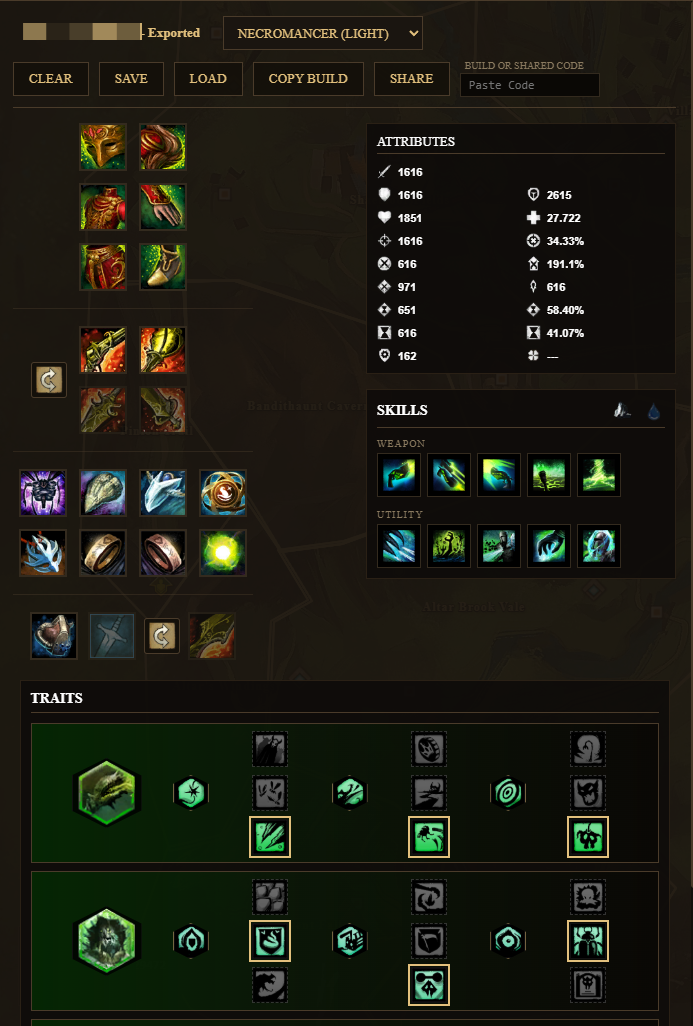
Plan your gear setups and see the attributes change on the fly.
Required API Scopes:
Key Features:
- Plan an entire loadout and build from scratch or load a saved one.
- Save as many builds as you like on your PC.
- Add runes, sigils and infusions to your gear and watch the attributes change.
- Copy the build link (not including equipment) to share in game.
- Share the entire build (including equipment) with other Tyrian Lens users. Click the 'share' button and send them the string of code.
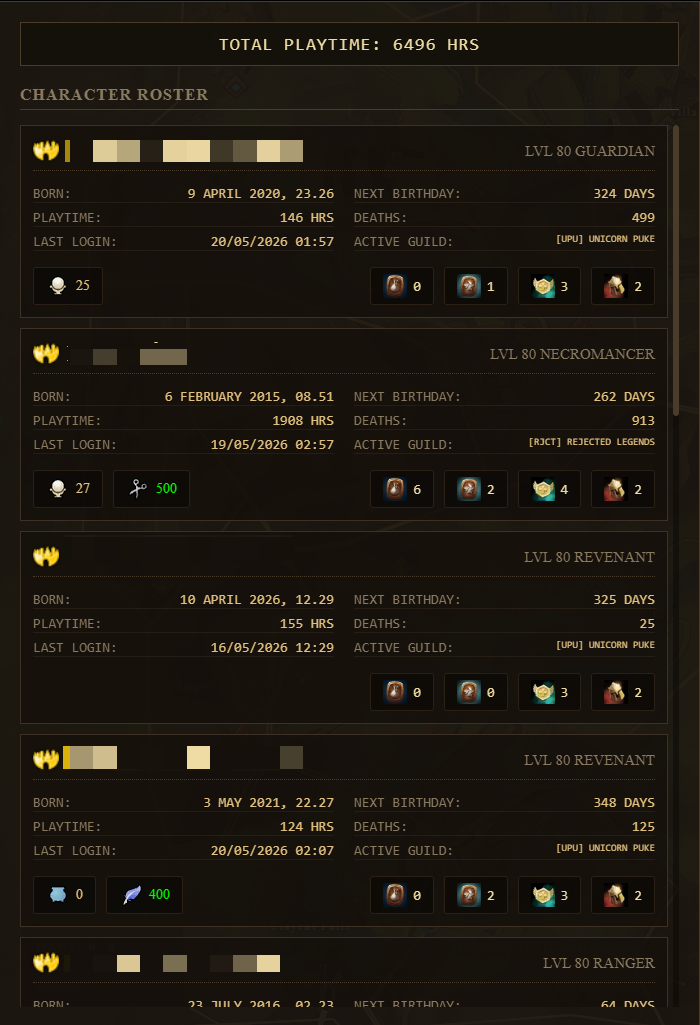
 Characters
View a detailed roster of all characters on your account.
Required API Scopes:
Key Features:
- Quick overview of character names, races, and classes.
- Display crafting licenses and levels.
- Track character birthday, time to next birthday, time played, deaths and active guild.
- Check unlocked bag slots, build tabs, equipment tabs and additional crafting licenses.
 Inventory
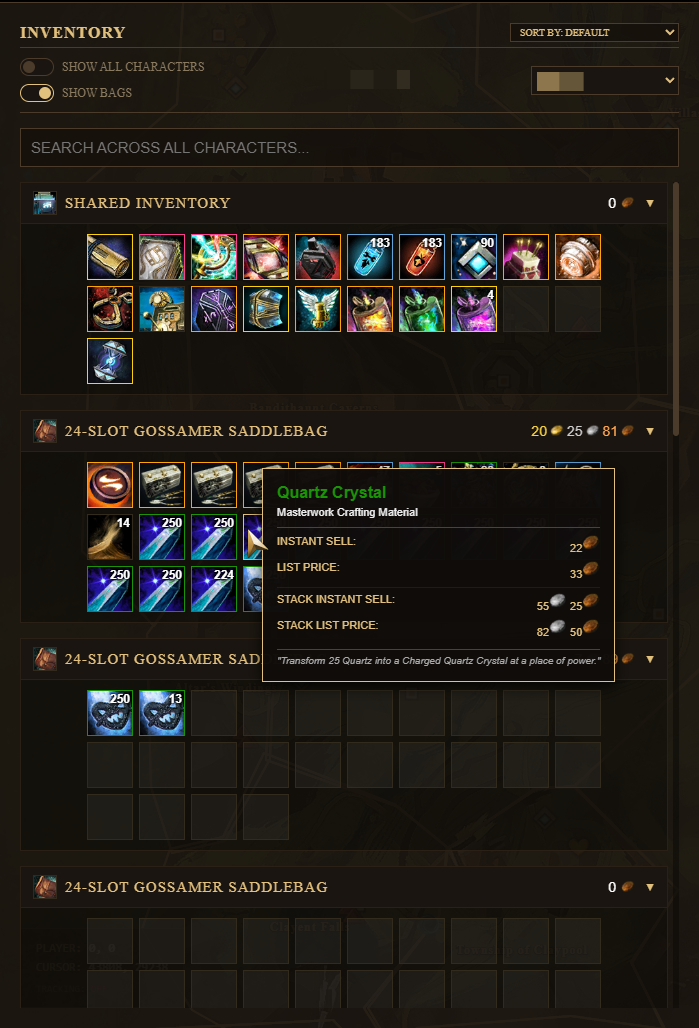
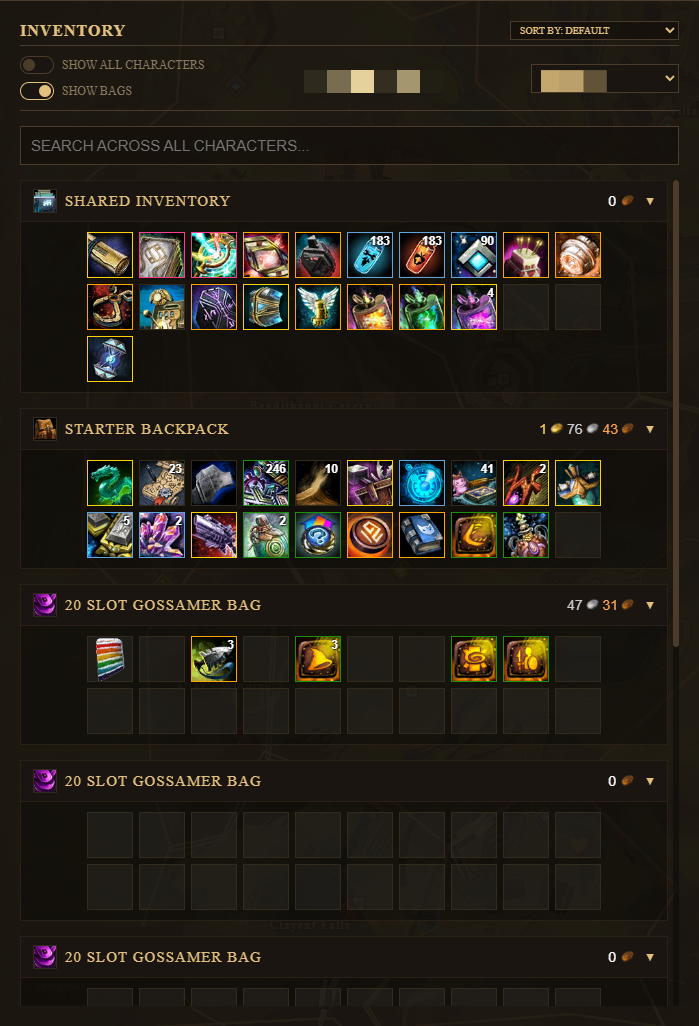
Scan inventory bags on all or any chosen character to view the contents.
Required API Scopes:
Key Features:
- Inspect items inside individual character bags.
- Inspect items inside all combined bags.
- Search for any item currently in an inventory bag.
- Sort inventory items by value.
- See total value of (not account bound) items per bag.
- Tooltips displaying market values.
 Account Bank
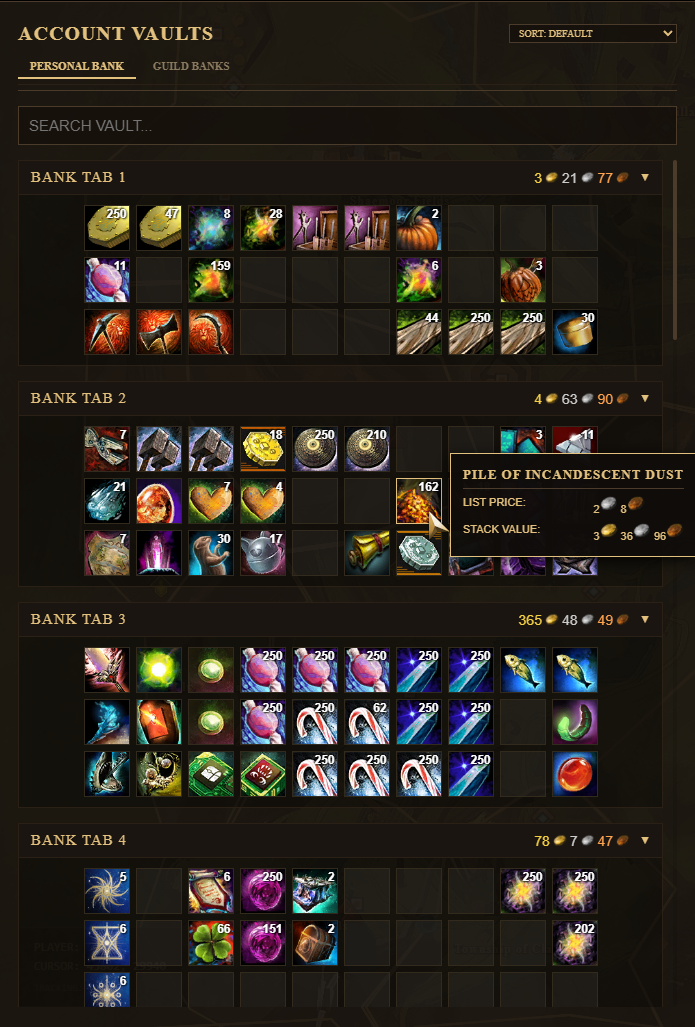
Browse your entire account bank.
Required API Scopes:
Key Features:
- View all items currently in your bank.
- View all items in your guild bank (you can only view your guild banks if you are the guild owner).
- Search any item in your bank tabs.
- View the value of (not account bound) items per bank tab.
- Hover over single items to see the value for the entire stack or a single unit.
- Sort the bank contents by value.
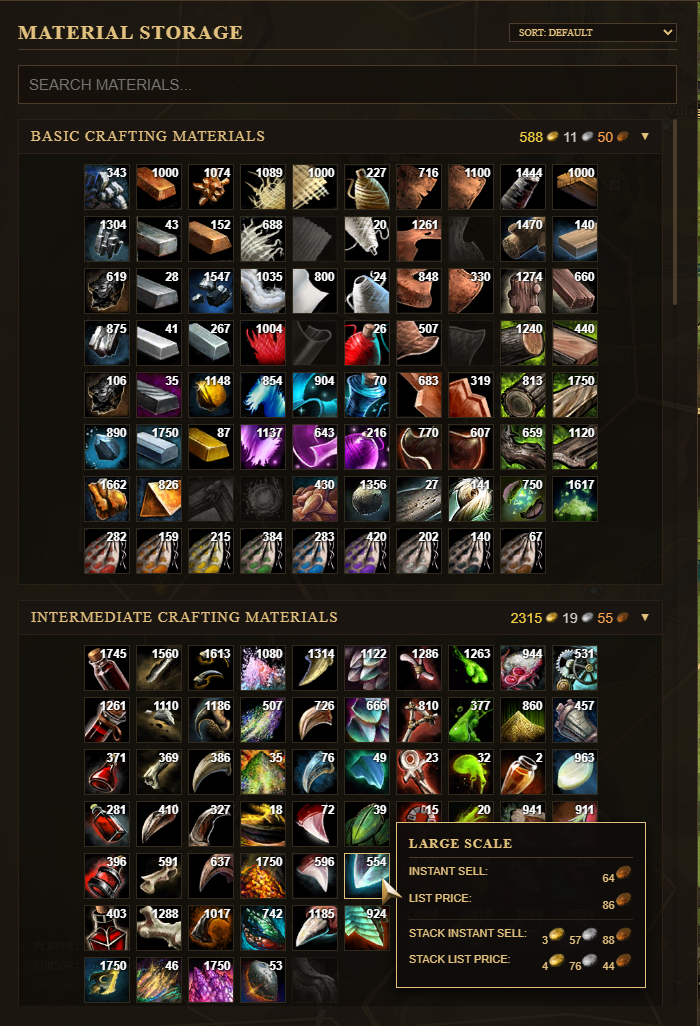
 Material Storage
Check materials on your account and active trading values.
Required API Scopes:
Key Features:
- List all stored crafting materials in your material storage.
- View value per category.
- Hover over any (not account bound) item to see live market data per unit or the entire stack.
- Easily search for any item currently in your storage.
- Sort items based on their live market value.
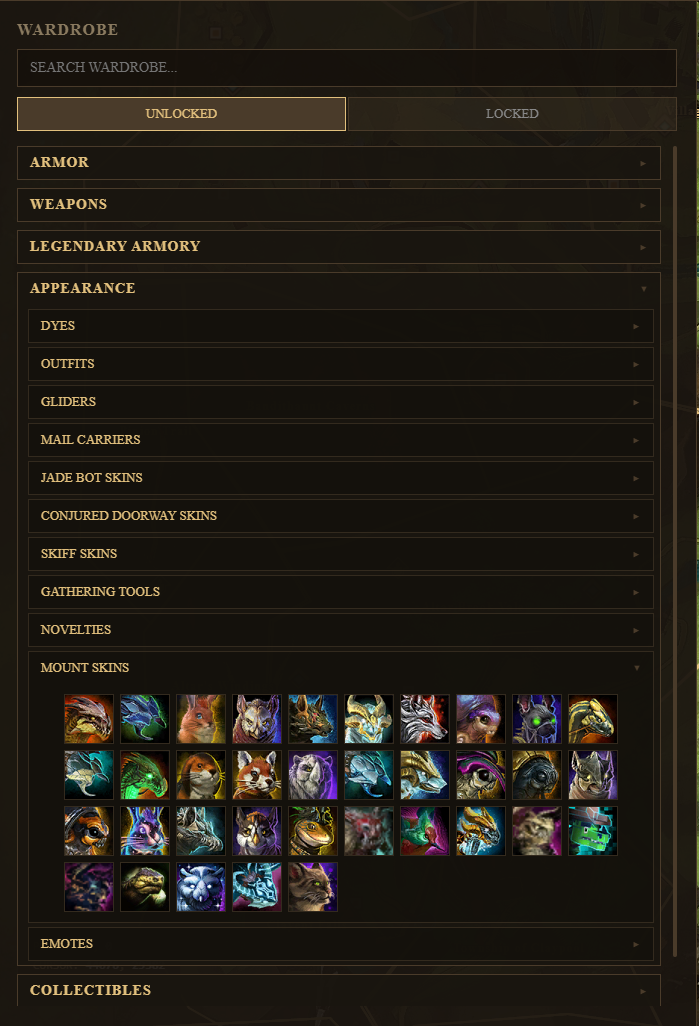
 Wardrobe
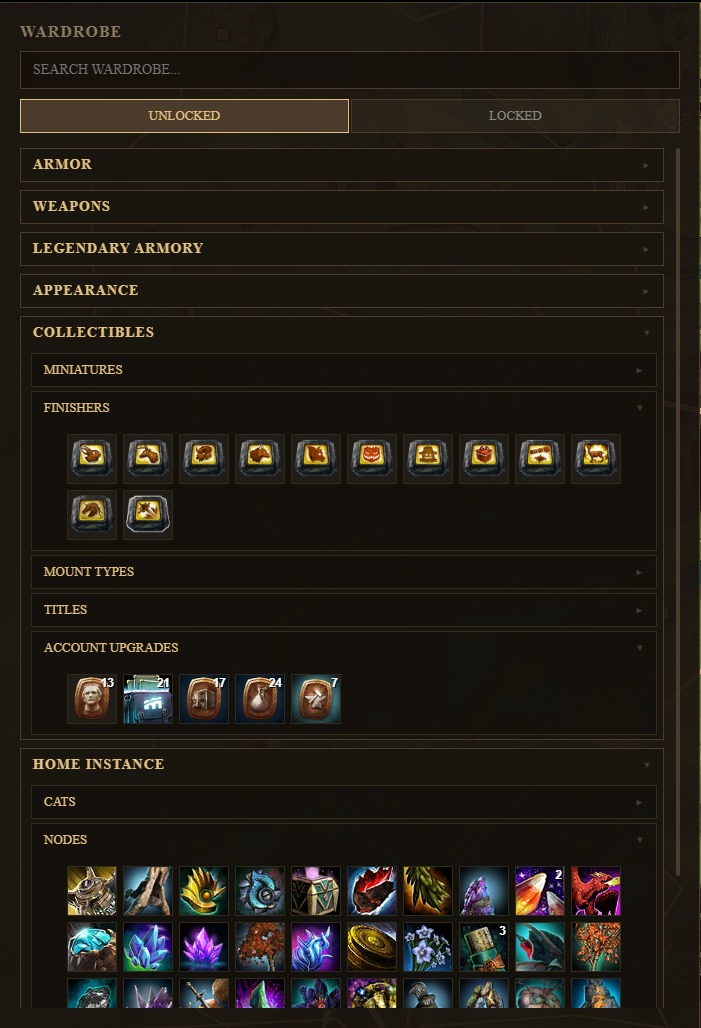
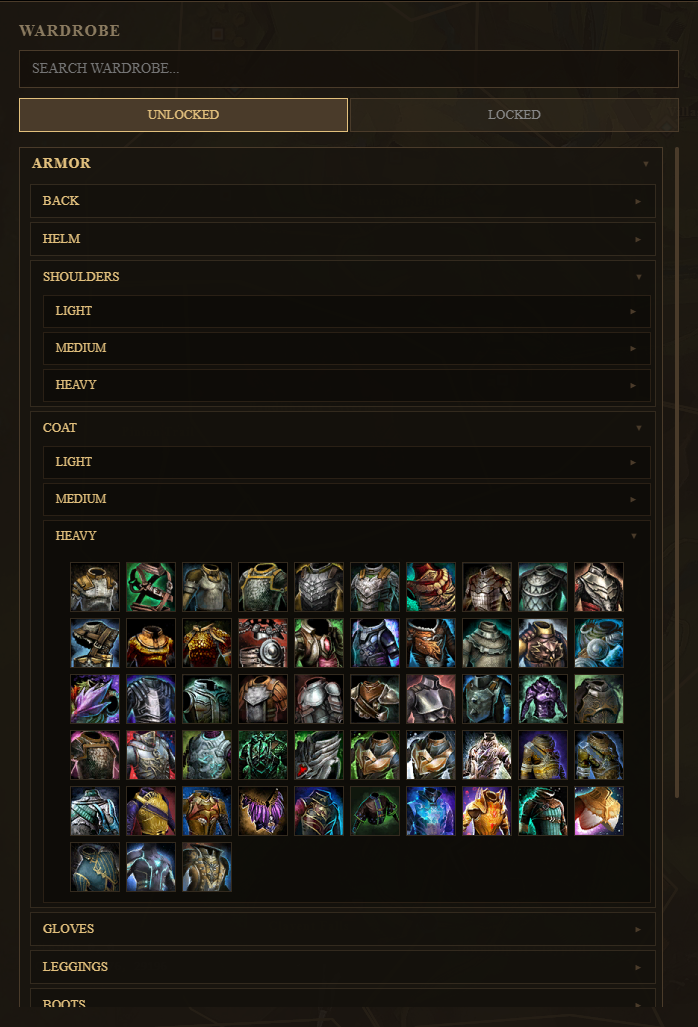
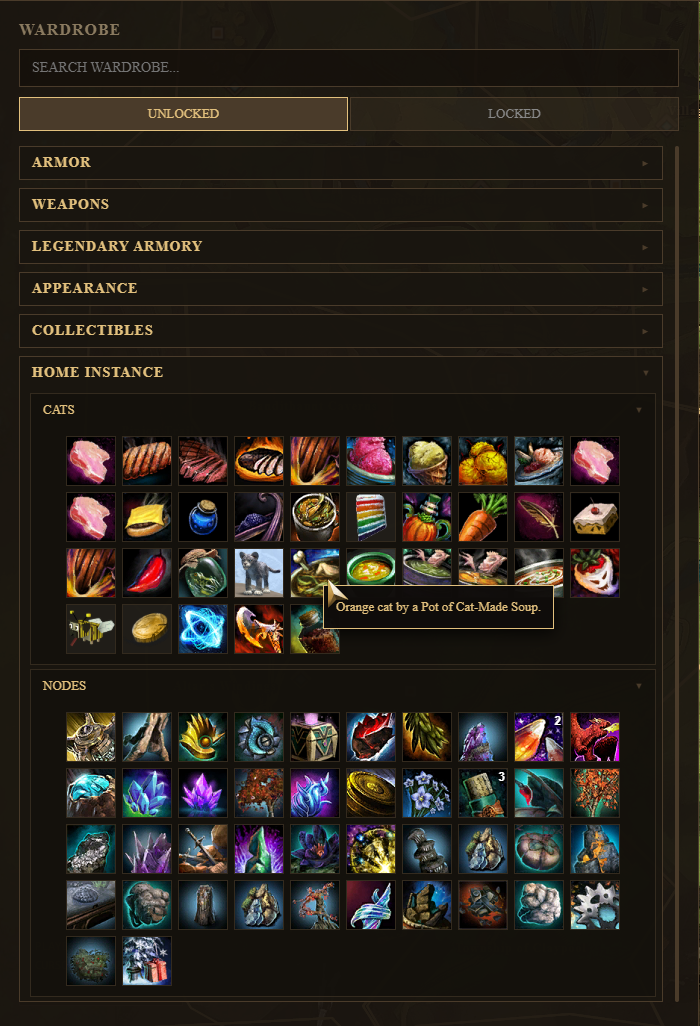
Track unlocks across your entire account.
Required API Scopes:
Key Features:
- Browse through everything unlocked or locked on your account.
- View locked and unlocked skins for armor, weapons, outfits, gliders, jade bots, skifs, mounts, etc.
- View a detailed grid showing unlocked dyes by name and color.
- View locked and unlocked miniatures, titles, finishers, etc.
- View locked and unlocked nodes and cats in your home instance.
- Search any unlockable in the game.
- Click an item to open the wiki page and learn how to unlock it.
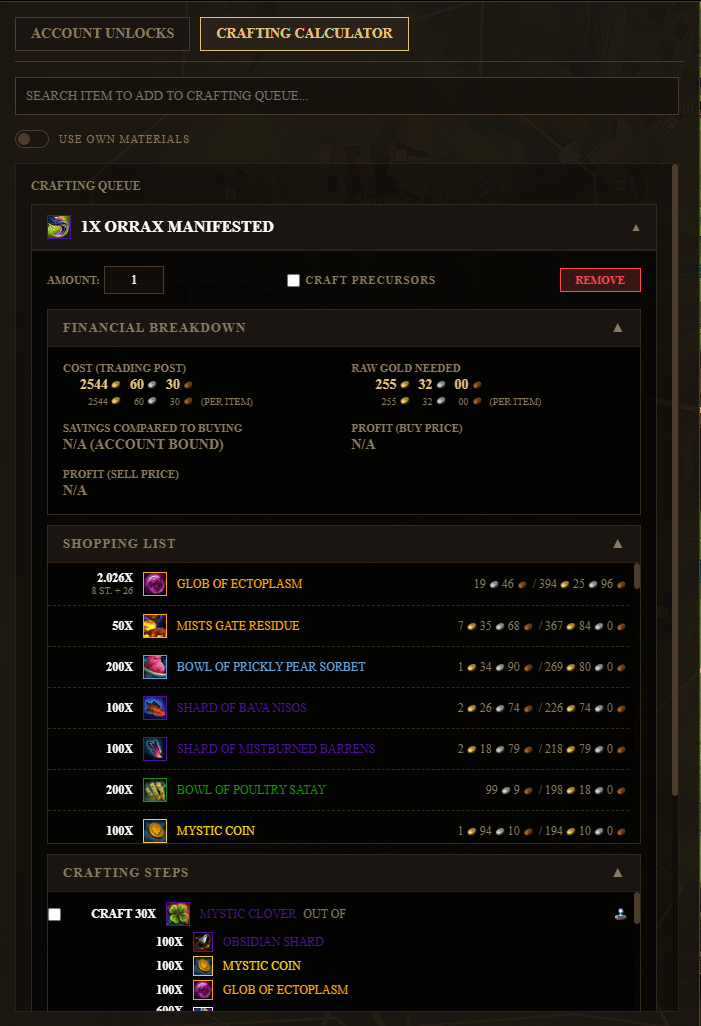
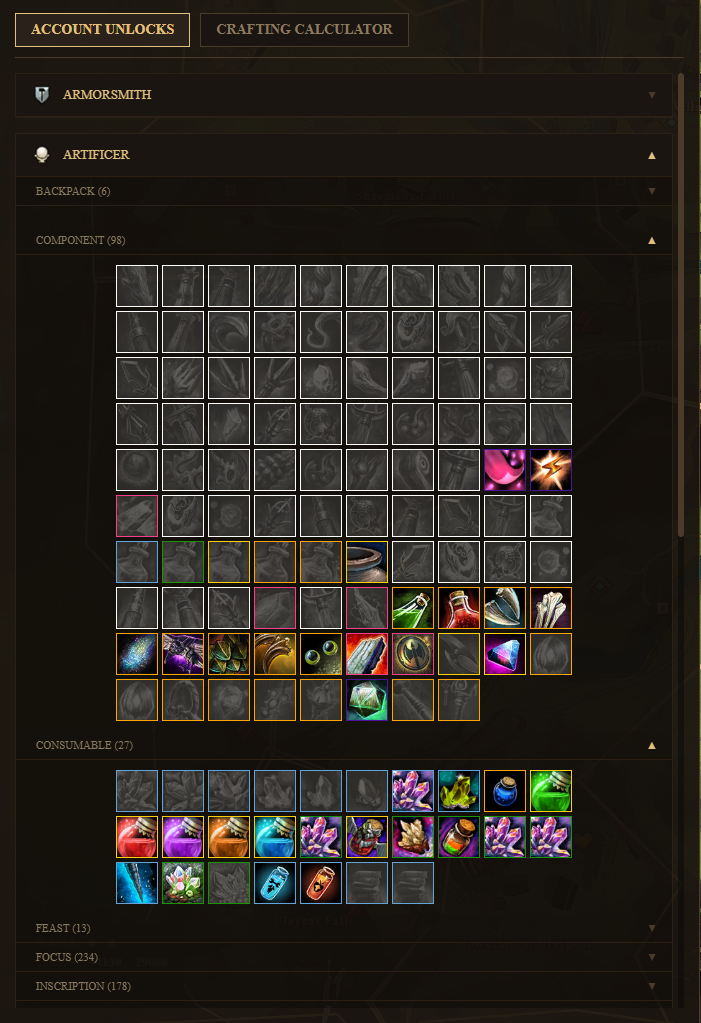
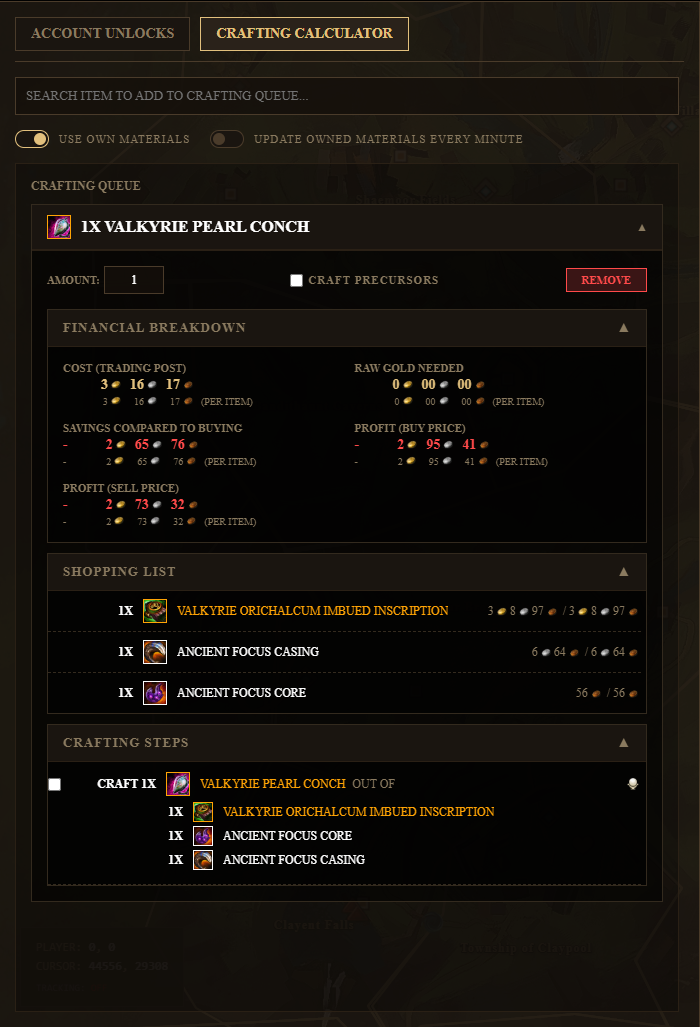
 Recipes & Crafting Calculator
Check unlocked recipes and calculate crafting steps.
Required API Scopes:
Key Features:
- View locked and unlocked recipes on your account.
- Calculate crafting steps and shopping lists for craftable items.
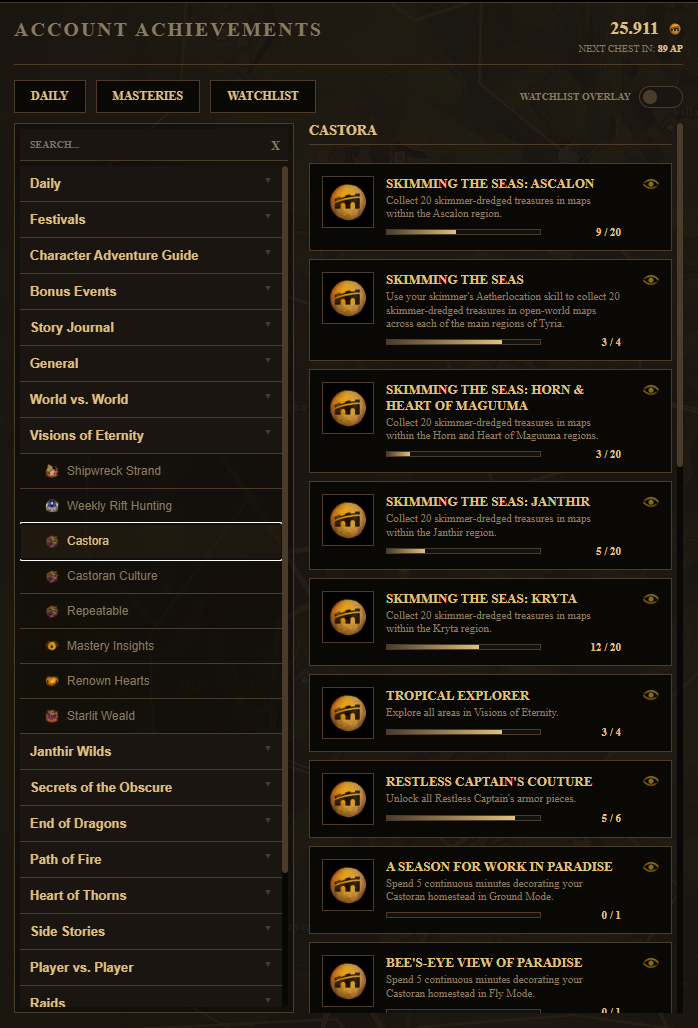
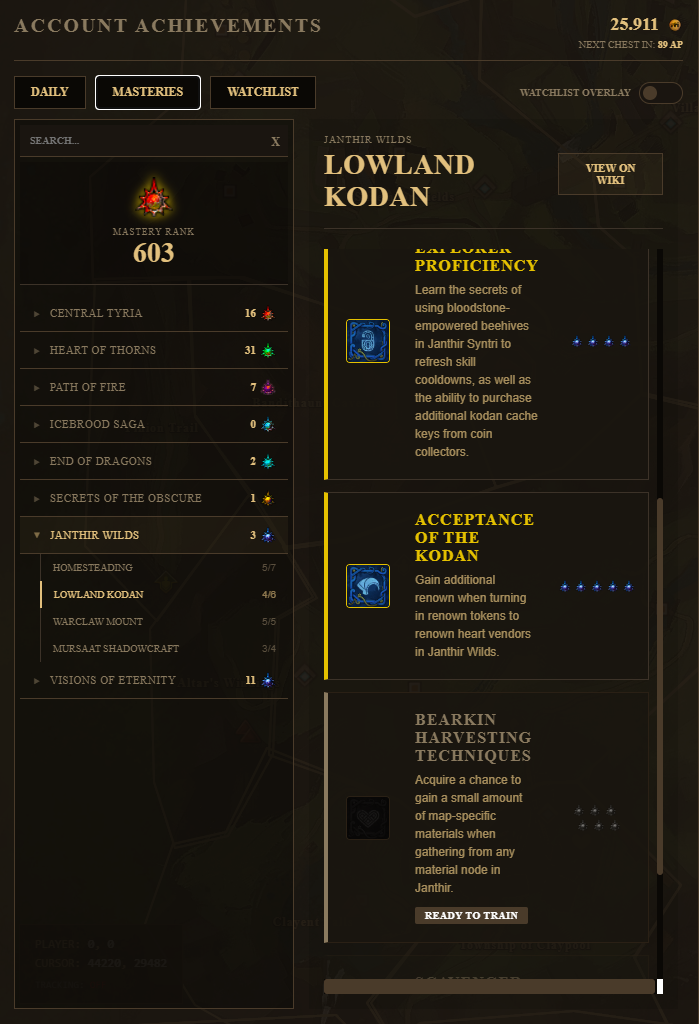
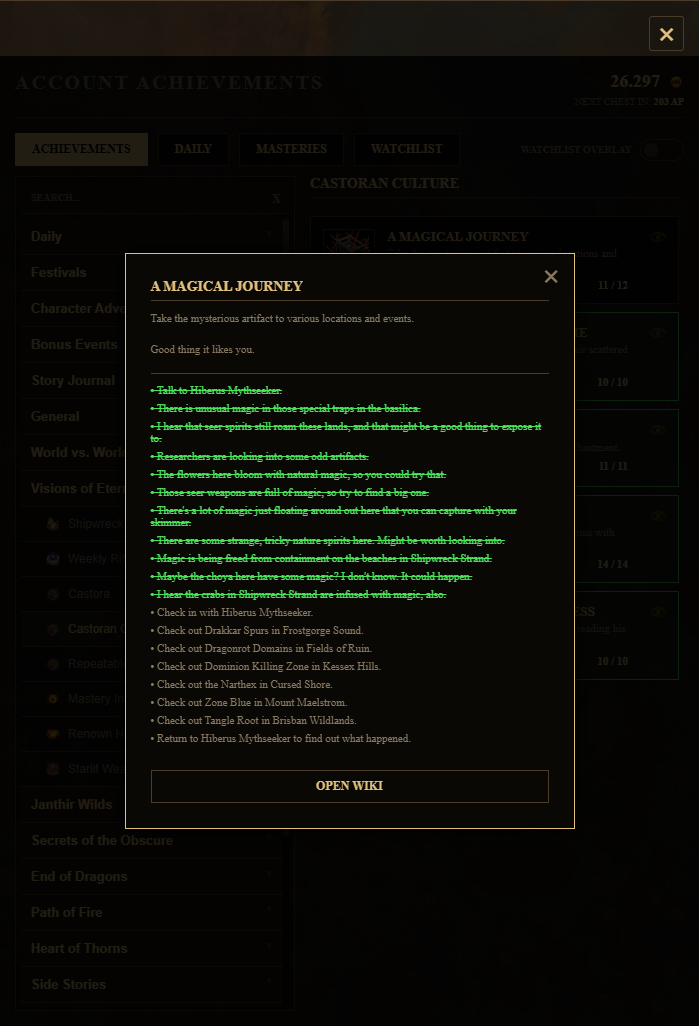
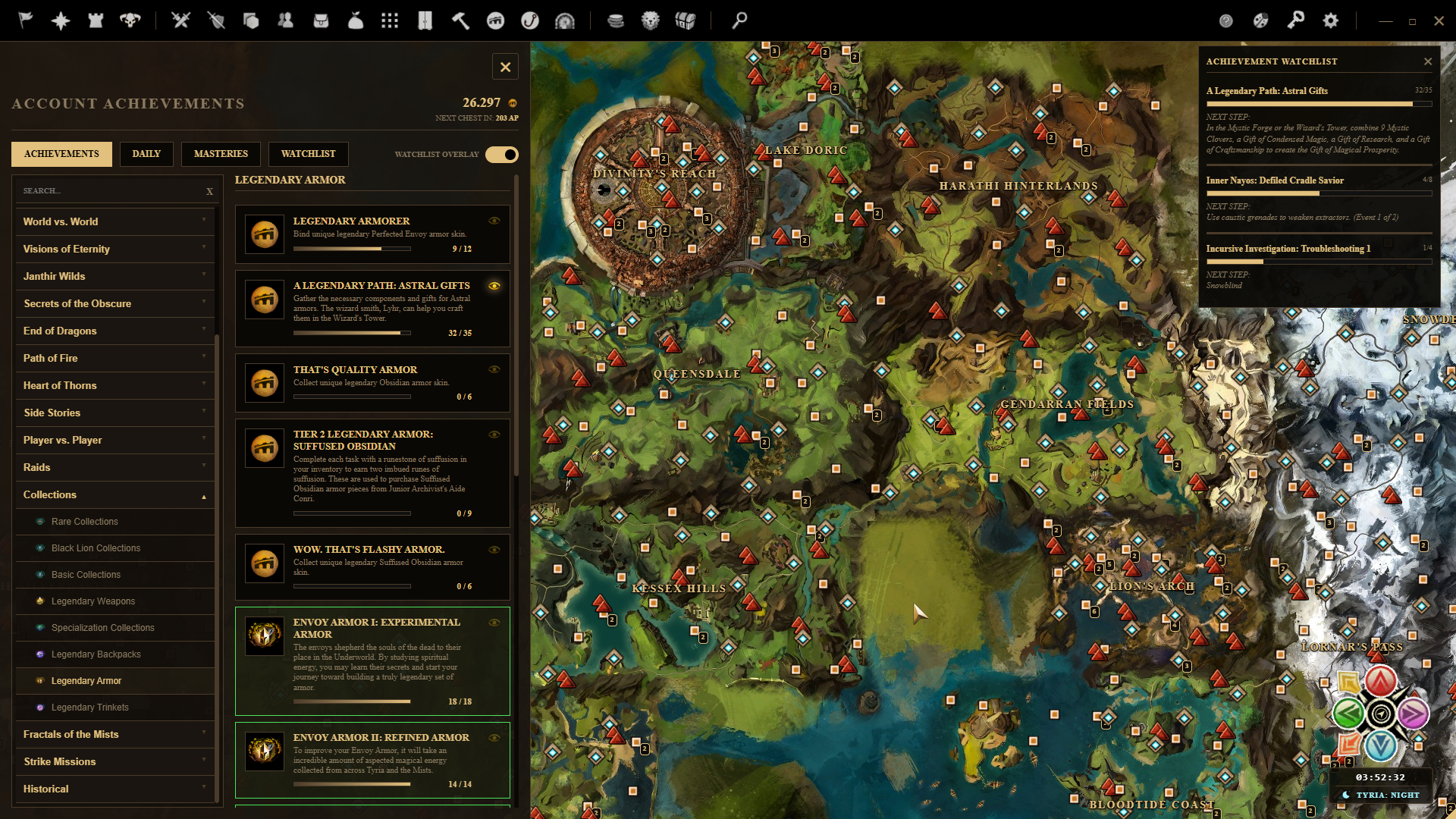
 Achievements Tracker
Keep track of active achievements with live progress updates and step-by-step checklists.
Required API Scopes:
Key Features:
- Detailed achievements lookup and categorizing with wiki links.
- Add achievements directly to the overlay tracker.
- Shows the next step for multi-phase tasks.
- Track your unlocked masteries and current mastery rank.
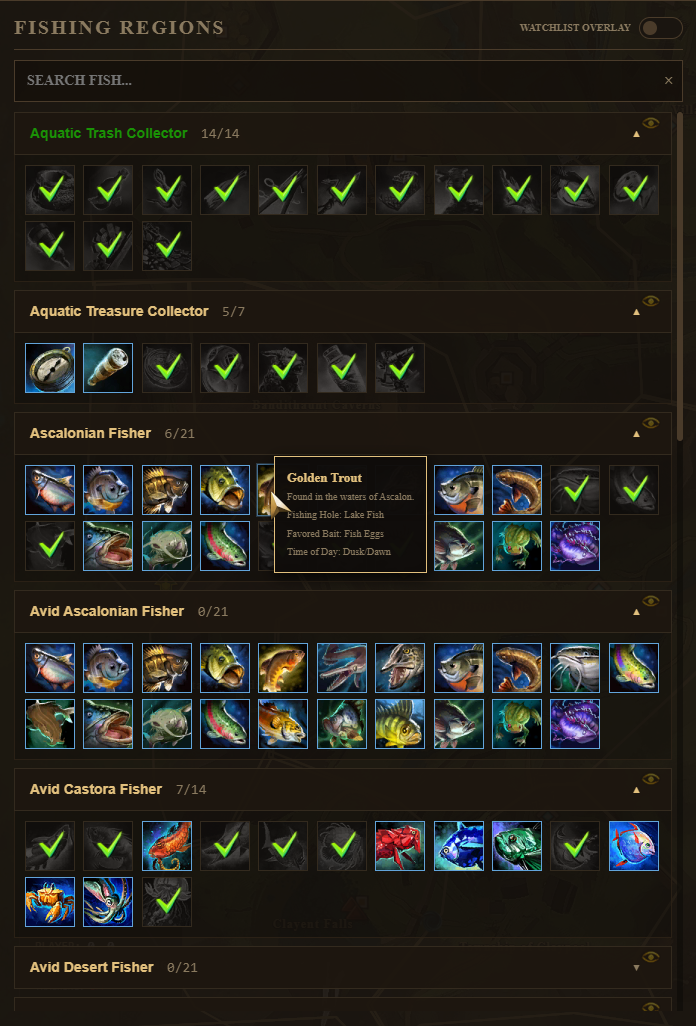
 Fishing Tracker
Complete your fishing collections.
Required API Scopes:
Key Features:
- Fishing checklist highlighting caught vs missing fish.
- Tooltips showing preferred bait, time of day and fishing hole.
- Fishing watchlist overlays.
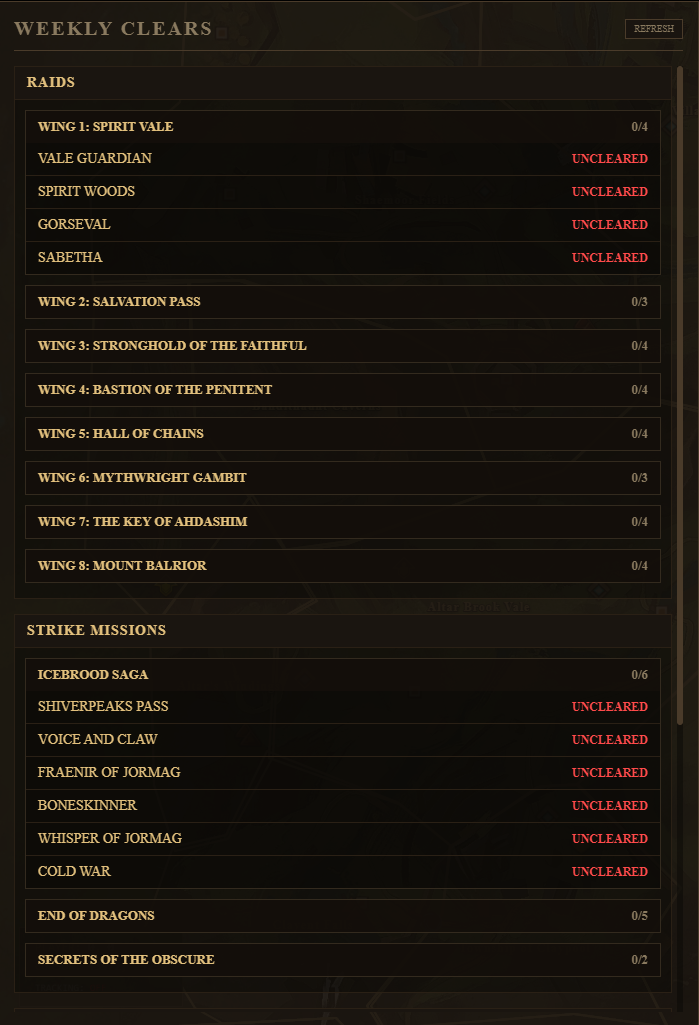
 Weekly clears
Required API Scopes:
Key Features:
- Weekly tracking for all Dungeons, Raids, Strikes and Rifts.
- Option to put the clears in a watchlist on your map.
- Automatically resets every week.
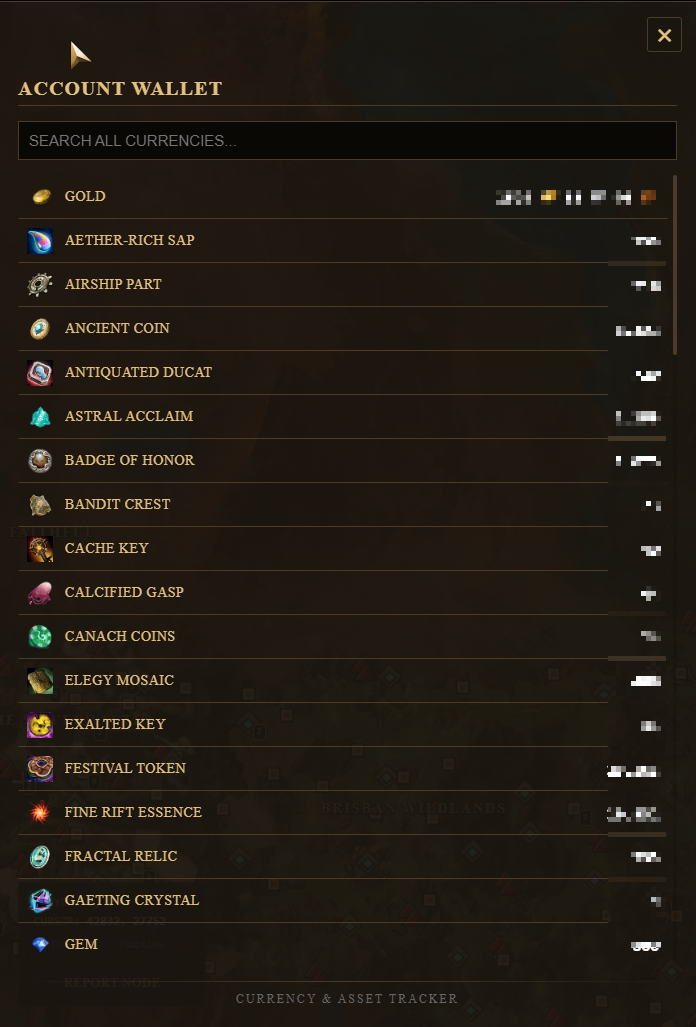
 Currencies
Check your wallet for any currency in the game.
Required API Scopes:
Key Features:
- View any currency currently in your wallet.
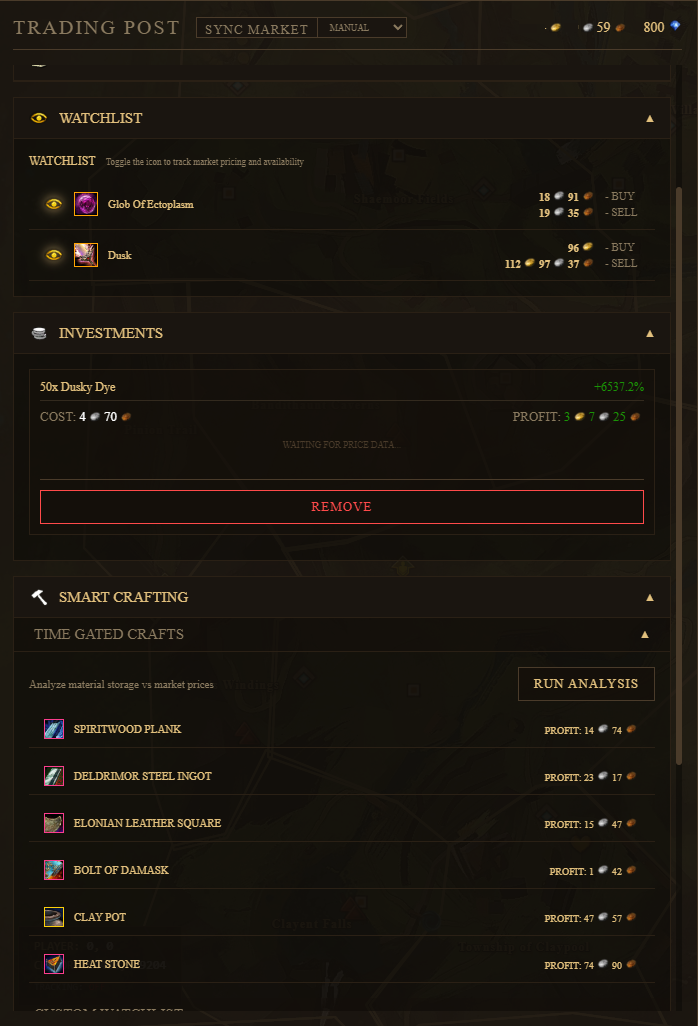
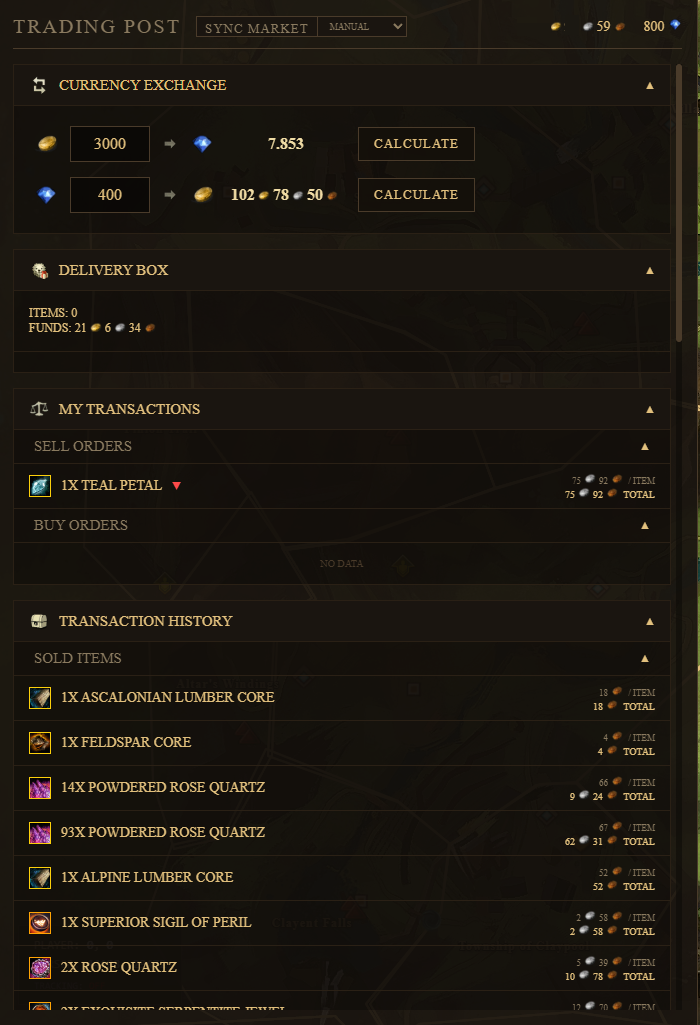
 Trading Post
Black Lion Trading Post tracker with profit calculation.
Required API Scopes:
Key Features:
- Real-time sync of sale and buy orders.
- Real-time gem to gold & gold to gem conversion calculator.
- Search any item on the trading post.
- Delivered items indicator in the menu bar.
- Current transactions with undercut and overbid indicator.
- Transaction history.
- Investment tracker.
- Watchlist items.
- Smart crafting. Checks for items to craft to make a profit.
 Farming Tracker
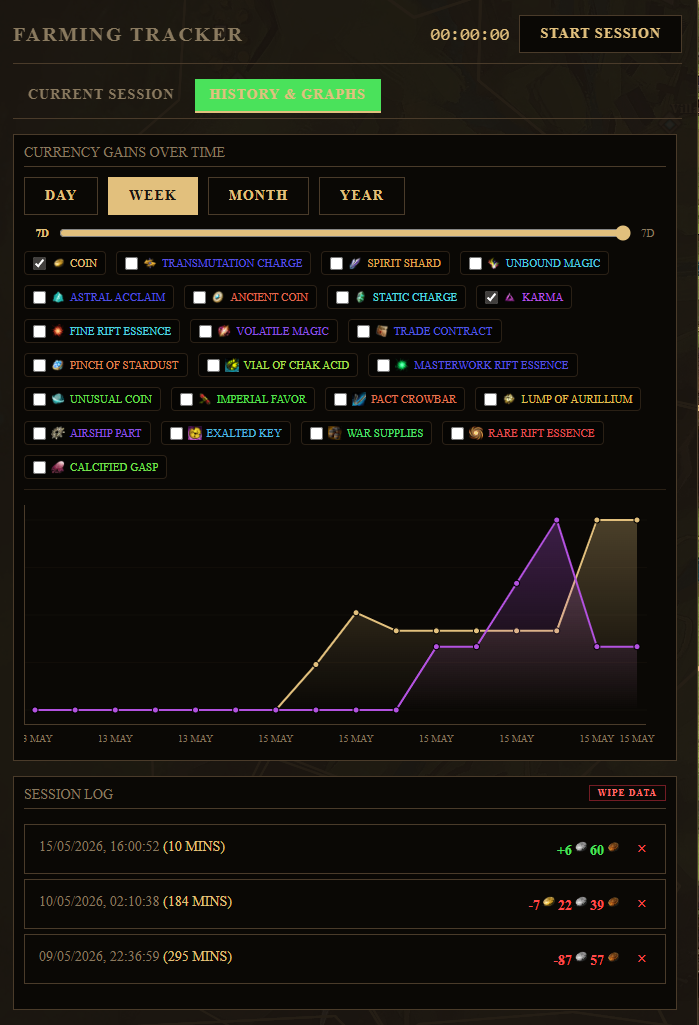
Track gold per hour rates and item drop counters live during your play time.
Required API Scopes:
Key Features:
- Track live currency gains.
- Track live loot gains.
- Track live bag opening.
- View statistics over a period of time.
- The module works out of the box, but is dependant on GW2 API update frequency. For Instant tracking, use the DRF .dll and API key
- Check https://drf.rs/getting-started how to set up instant tracking with DRF.
 Universal Search
Search anything!
Required API Scopes:
Key Features:
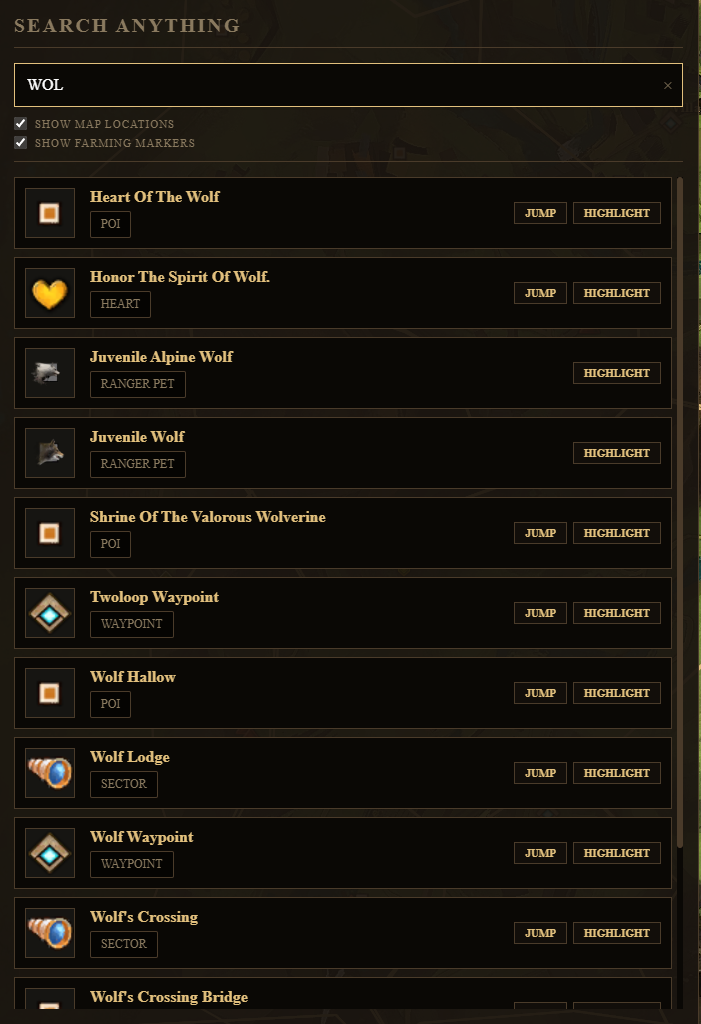
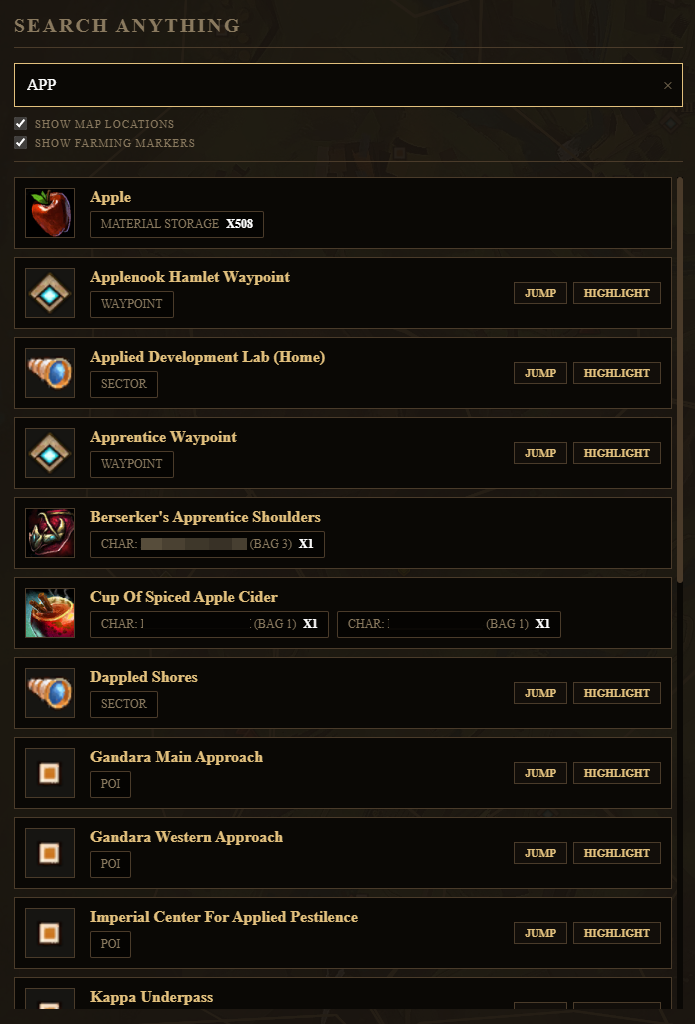
- Search any item on your account. With indicator where it is (in a bag, equipped, in the material storage, etc.)
- Search locations, events, PoI's, Waypoints, etc. With options to highlight them or jump the map to the location.
- Search NPC's that sell or trade things.
- Search Ranger pets and highlight their location.
- Option to turn off certain search results.
 Bug Reporting & Features Request
Submit bugs, layout failures, or feature suggestions directly to developers.
Key Features:
- Integrated bug submission form.
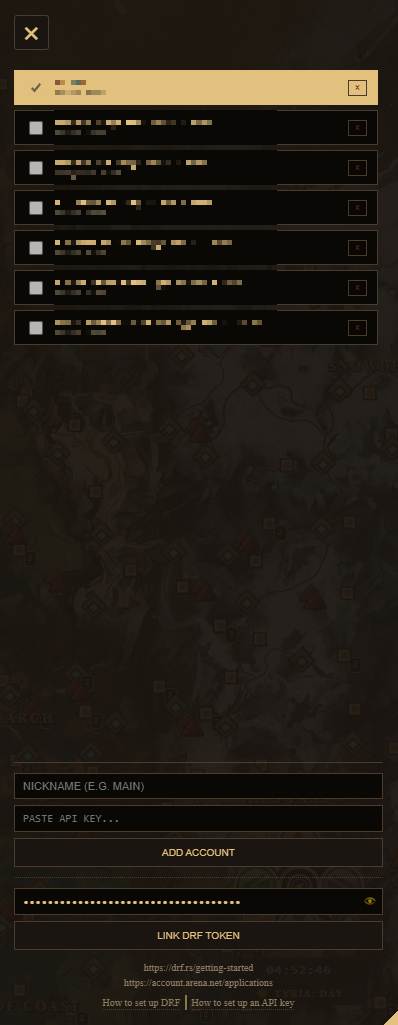
 API Key Manager
Add or remove GW2 API keys and DRF tokens.
Key Features:
- Add keys locally on your PC for multiple accounts.
- Select the active key to display info for the selected account.
- Give nicknames to the different accounts.
 App Settings
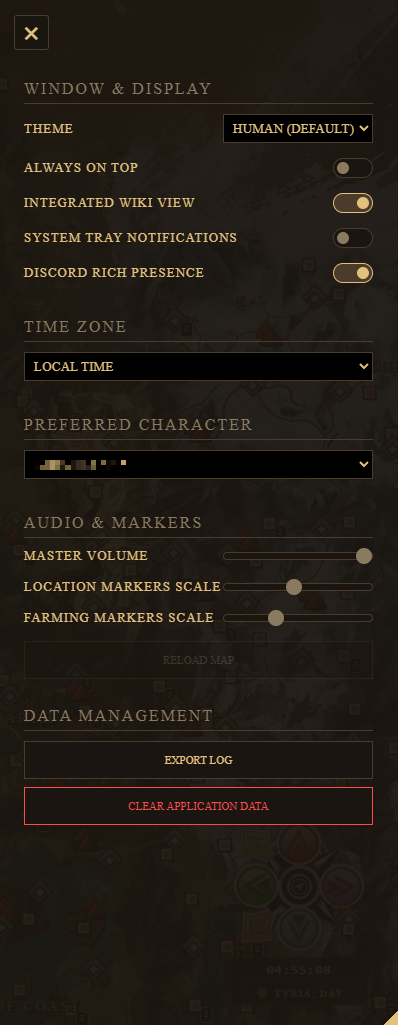
Configure overlay positions, adjust scale sizes, toggle discord RPC rich presence, and select character-race UI styles (Sylvari, Asura, Charr, Norn).
Key Features:
- Change the theme colors of the app.
- Choose if wiki pages open in app or in a seperate window.
- Change the timezone used in 'Timers' and on the map.
- Select a preferred character to display first when opening modules.
- Change the scale of markers on the map.
- Delete all saved information and start fresh.